
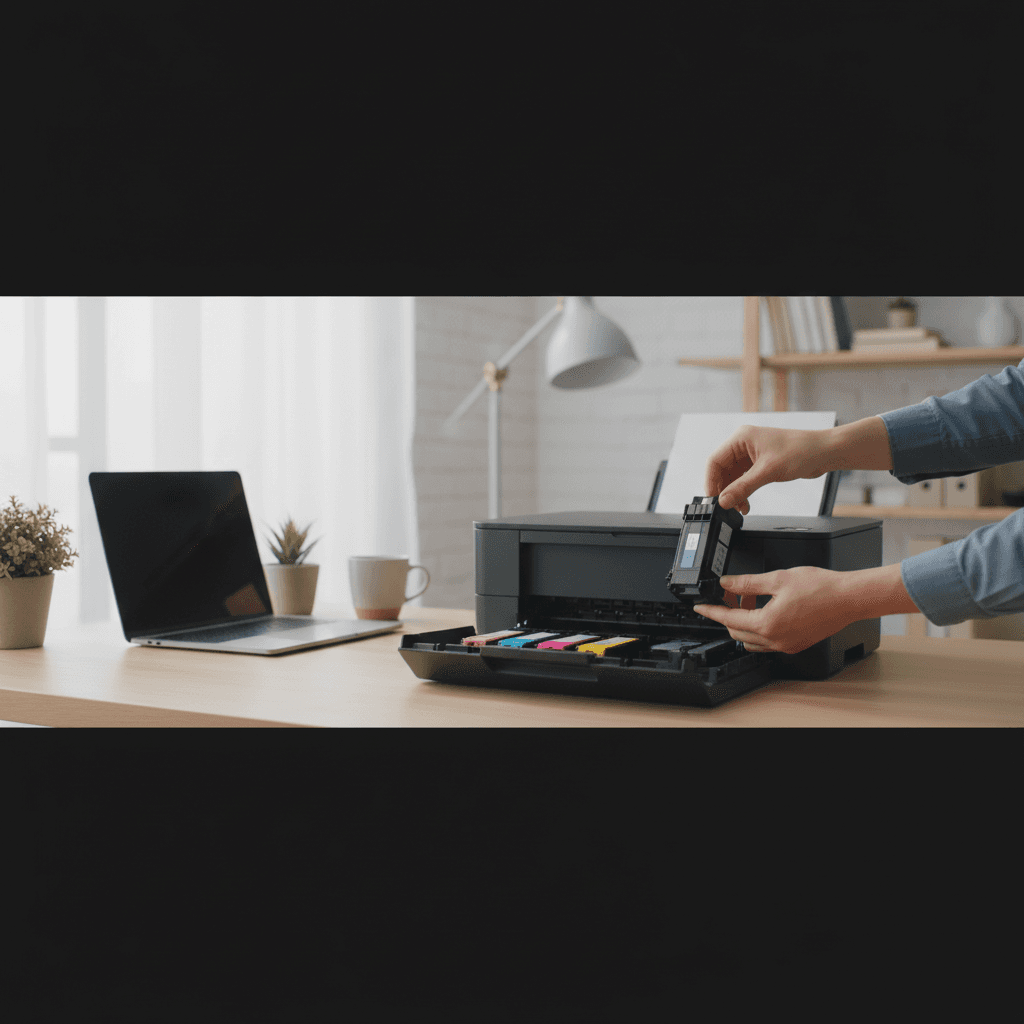
How Long Can You Safely Leave a Printer Unused?
Heading on vacation or just don't print often? Here's how long printers can sit unused without damage, and how to prepare them for storage.
What's Happening
You're going on vacation, or you just don't print very often, and you're wondering how long you can leave your printer sitting idle before it develops problems. Maybe you've already had a printer fail after sitting unused, or you're planning to store one for a while. The answer depends on whether you have an inkjet or laser printer, how you prepare it, and the environment where it's stored.
Quick Checks (Do These First)
- What type of printer do you have? Inkjet vs. laser makes a huge difference.
- How long will it be unused? Days, weeks, months, or years?
- Where will it be stored? Climate-controlled room vs. hot garage matters.
- Is it currently working perfectly? Don't store a printer that already has issues.
- Will it stay plugged in, or completely powered off? This affects maintenance cycles.
The Short Answer
Inkjet Printers:
- Up to 1 week: No preparation needed. Just leave it as-is.
- 1-4 weeks: Leave it plugged in so it can run automatic maintenance, or print a test page before you leave and when you return.
- 1-3 months: Print a full-color test page before storing, park the printhead properly (turn off via power button), consider running a cleaning cycle when you return.
- 3-6 months: Risky. Ink will likely dry out. Prepare carefully and expect to need multiple cleaning cycles when you return. May need printhead replacement.
- 6+ months: Very risky. High chance of permanent printhead damage. Consider removing and sealing cartridges (advanced), or plan to replace the printhead when you return.
Laser Printers:
- Up to 6 months: Generally fine with no preparation. Toner doesn't dry out.
- 6-12 months: Still usually fine. Dust and environmental factors become more of a concern than the printer itself.
- 1-2 years: Should work, but mechanical components and electronics may develop issues from disuse. Seals can dry out.
- 2+ years: Possible, but expect issues. Rollers may have hardened, seals degraded, electronics may fail. Test thoroughly before relying on it.
Why Long Storage Causes Problems
Inkjet Printers: Dried Ink
Inkjet printheads have microscopic nozzles filled with liquid ink. When ink sits still for weeks or months, the water evaporates and the pigment/dye solidifies, creating clogs. This is the #1 failure mode for stored inkjets.
Timeline:
- 2 weeks: Minimal risk
- 4 weeks: Moderate risk, especially in dry climates
- 8 weeks: High risk of partial clogs
- 12+ weeks: Very high risk of permanent damage
Laser Printers: Mechanical and Environmental Issues
Laser printers don't have wet ink to dry out, but long storage can still cause problems:
- Toner settling and clumping: Toner powder can settle and harden slightly, causing initial print quality issues (usually resolves after a few prints).
- Rubber rollers hardening: Rollers can lose elasticity and grip, causing feed issues.
- Dried lubricants: Moving parts may stiffen.
- Electronic component degradation: Capacitors and other components can degrade from disuse.
- Dust and corrosion: In humid or dusty environments, internals can corrode or get clogged.
Both Types: Environmental Damage
- Extreme temperatures: Heat or freezing can damage electronics and deform plastic components.
- Humidity: Causes corrosion, mold, and can damage circuits.
- Dust: Accumulates on internals, causing mechanical issues.
- Pests: Rodents love warm, enclosed spaces and can chew wires or nest inside printers.
Step-by-Step: Preparing an Inkjet for Storage
For 1-4 Weeks
- Print a full-color test page. This moves fresh ink through all nozzles.
- Turn off the printer using the power button (not by unplugging). This parks the printhead in a sealed position.
- Leave it plugged in if possible. The printer will run small automatic maintenance cycles that help prevent clogs.
- If unplugging, cover the printer with a dust cover. Reduces air circulation that dries ink.
For 1-3 Months
- Run a printhead cleaning cycle. This fills the printhead with fresh ink.
- Immediately after cleaning, turn off the printer using the power button. This seals the printhead while it's full of fresh ink.
- Unplug the printer. At this duration, automatic maintenance won't help enough to justify leaving it on.
- Cover the printer with a plastic bag or dust cover. Reduces air circulation and dust.
- Store in a climate-controlled environment. Room temperature (65-75°F), moderate humidity (40-60%).
For 3+ Months (Advanced)
At this point, you're fighting a losing battle with ink drying. Options:
- Remove ink cartridges. Place each in a small plastic bag with a slightly damp (not wet) paper towel. Seal and store in a cool, dark place.
- If your printer has a removable printhead, remove it and wrap in plastic. Some people soak it briefly in distilled water, then wrap it while still slightly damp.
- Cover and store the printer in a climate-controlled area.
- Accept that you'll likely need a new printhead when you return. Budget $30-80 for replacement.
Or just plan to replace the printer. If it's a cheap inkjet and you won't use it for 6+ months, it might not be worth saving.
Step-by-Step: Preparing a Laser Printer for Storage
For Up to 6 Months
- Print a few test pages. Ensures everything works before storage.
- Turn off the printer.
- Unplug it.
- Cover it with a dust cover. Keeps dust out.
- Store in a dry, temperate location. Avoid garages, attics, or basements with extreme temps or humidity.
That's it. Laser printers are much more tolerant of storage.
For 6+ Months
- Remove the toner cartridge and store separately in its original packaging or a sealed bag. This prevents toner from leaking or settling.
- If you have a drum unit, remove and store it too. Keep it in a dark place (light damages drums).
- Clean the interior with canned air. Remove dust and debris before sealing it up.
- Cover the printer completely. Use plastic sheeting if stored in a dusty or humid environment.
- Store in the best environment possible. Climate-controlled is ideal.
Returning a Printer to Service After Storage
Inkjet Printers
- Uncover and visually inspect. Look for dust, pests, or damage.
- Plug in and turn on.
- Run a nozzle check pattern. This shows which nozzles are clogged.
- If nozzles are clogged, run a cleaning cycle. May need 2-3 cycles.
- If cleaning doesn't work, try a deep cleaning cycle. Wait overnight and try again.
- If still clogged, consider manual printhead cleaning or replacement.
- Once working, print a few test pages to ensure quality.
Laser Printers
- Uncover and inspect. Check for damage, dust, or pests.
- Reinstall toner and drum if removed.
- Plug in and turn on. Let it warm up fully.
- Print a test page. The first few prints may look odd (toner settling), but should improve quickly.
- If prints look bad, run a cleaning cycle (most laser printers have one in the menu).
- Print 10-20 pages to clear out any settled toner and exercise the mechanics.
- If you experience jams, check rollers. They may need cleaning or replacement if they've hardened.
Storage Environment Matters
Ideal Storage Conditions
- Temperature: 60-75°F. Consistent is better than fluctuating.
- Humidity: 40-60%. Too dry accelerates ink drying; too humid causes corrosion.
- Light: Dark or low light. Bright light can damage printheads and drums.
- Dust: As little as possible. Cover the printer.
- Pests: Pest-free area. Rodents can destroy a printer quickly.
Bad Storage Locations
- Hot garage or attic: Temperature extremes damage electronics and plastics.
- Damp basement: Humidity causes corrosion and mold.
- Outdoor shed: Temperature, humidity, dust, and pests—worst of all worlds.
- Storage unit without climate control: Temperature and humidity swings are hard on electronics.
Good Storage Locations
- Closet in a climate-controlled room
- Spare bedroom
- Home office (even if not in use)
- Climate-controlled storage unit (if you must use one)
Special Situations
Seasonal Use (Summer Cabin, Holiday Decorations, etc.)
If you use your printer seasonally (6 months on, 6 months off):
- Inkjets: Expect to replace the printhead or cartridges every time you bring it out of storage. Budget for this. A laser printer would be a better choice.
- Lasers: Should handle this fine with proper storage prep.
Moving
If you're moving and the printer will be in a moving truck for days or weeks:
- Remove cartridges and pack separately. Movement can cause leaking.
- Secure all moving parts. Many printers have shipping locks or tape to secure the printhead/drum during transport. Check the manual.
- Pack in original box if possible. If not, use plenty of padding.
- Transport in climate-controlled vehicle if possible. Extreme heat or cold in a moving truck can damage electronics.
Long-Term Storage (Years)
If you're storing a printer for years (inheritance, business closure, etc.):
- Document the condition. Take photos, note page counts, test everything.
- Remove all consumables. Cartridges, toner, drums—take them all out and store separately or dispose of them.
- Clean thoroughly. Remove all dust and debris.
- Original packaging is best. If you don't have it, use a sturdy box with padding.
- Include the power cable and any manuals. You'll forget where they are otherwise.
- Store in the best environment you can. Climate-controlled is essential for multi-year storage.
- Expect it may not work when you bring it out. Electronics can fail from disuse alone. Have a backup plan.
Should You Leave It Plugged In?
For Short-Term (1-4 Weeks): Yes (Inkjets)
Leaving an inkjet plugged in and in standby mode allows it to run automatic maintenance cycles that help prevent ink drying. The power consumption is minimal (1-5 watts).
For Medium-Term (1-3 Months): No
At this duration, automatic maintenance won't prevent drying, and you're wasting electricity. Unplug and prepare for storage.
For Long-Term (3+ Months): Definitely No
No benefit to leaving it plugged in, and you're risking electrical issues (power surges, electrical fires from dust accumulation, etc.).
Laser Printers: Doesn't Matter
Lasers don't benefit from staying plugged in during storage. Unplug to avoid power surges.
The Bottom Line
Inkjet printers: Maximum 4 weeks without issues. 8-12 weeks with proper prep and luck. 3+ months is very risky.
Laser printers: 6-12 months is usually fine. Up to 2 years is possible with proper storage.
If you know you won't print for months, prepare the printer properly. Don't just leave it sitting.
Store in a climate-controlled, dry, dust-free environment. This is critical for long-term storage.
Expect to run cleaning cycles or replace parts after long storage. Budget time and money for this.
If you print infrequently (less than monthly), consider switching to a laser printer. They handle infrequent use much better than inkjets.
When to Call a Pro
If you're bringing a long-stored printer back to life and it's not working properly, or if you need help preparing an expensive printer for storage, a technician can perform proper prep and service to maximize your chances of successful storage and revival.
Need Professional Help?
If you're in the Tampa Bay area and need hands-on assistance, Geeks in Sneaks provides friendly, on-site tech support in Clearwater, Clearwater Beach, and Dunedin.
Related Topics
Need Professional Help?
If you're still having trouble, our expert technicians can help.
Learn about our printer support serviceMore Printer Issues Fixes
See all Printer Issues fixes →How to Prevent Malware from Abusing Network Printers
Concerned about malware using your printer to spread or spy? Here's how to secure network printers against malicious software and attacks.
How to Prevent Kids or Guests from Printing 100-Page Jobs
Tired of accidental massive print jobs from kids or guests? Here's how to set up quotas, require approval, and control who can print what.
How Often Should You Check for Printer Security Updates?
Printer firmware updates aren't optional—they patch security holes. Here's how often to check, how to update, and how to set up automatic updates.
How to Block Unwanted Cloud and Remote Print Features
Don't want HP ePrint, Canon Cloud, or Epson Connect on your printer? Here's how to disable cloud printing features for better privacy and security.
How to Use Guest Networks or VLANs to Isolate Your Printer
Want to keep your printer on a separate network for security? Learn how to use guest networks and VLANs to isolate printers from your main devices.
How to Reset Forgotten Admin Password on Printer Web Interface
Locked out of your printer's web interface? Here's how to reset the admin password for HP, Canon, Epson, and Brother printers.
How to Securely Dispose of Old Printers with Stored Data
Getting rid of an old printer? Learn how to wipe stored data and dispose of it securely so your personal information doesn't end up in the wrong hands.
Are Scanned or Copied Documents Stored on Your Printer?
Wondering if your printer keeps copies of documents you scan or copy? Here's what gets stored, how to check, and how to clear it.